CloudValley Laptop Phone Mount Review: A Second Screen in Seconds
Part of The Remote Work Travel Guide: Set Up an Office Anywhere
What we liked
- Magnetic hold, quick on and off
- Folds away when not in use
- Works with most phones
What we didn't
- Adhesive mount can loosen over time
- Needs a magnetic phone or ring
- Adds weight to thin lids
Quick take
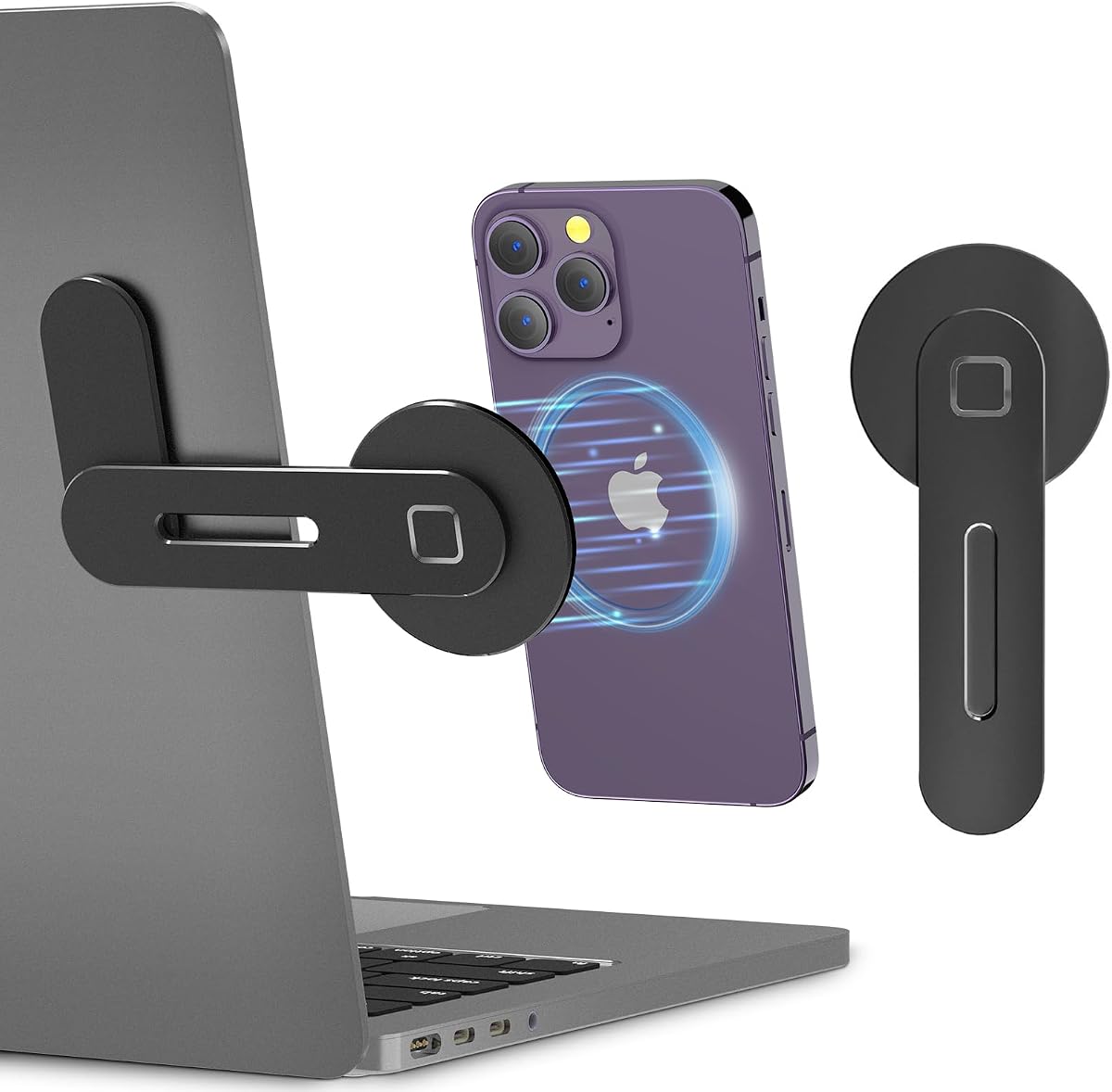
CloudValley’s mount attaches to the side of a laptop screen and holds a phone magnetically, so the phone sits at eye level beside your work.
Where to buy: CloudValley Magnetic Laptop Phone Mount on Amazon (typically about $15 to $25).
My take
I have two, one on each side of my MacBook Air. That way I can attach my iPhone and my Samsung Fold, folded up with a metal ring on the back, and I have three screens going without pulling out a travel adapter. It’s great at a café, especially when table space is tight.
What it is
A slim aluminum bracket sticks to the back of the lid and folds out when needed. The phone snaps on with magnets (directly on MagSafe phones or with an included ring).
Where it fits on the road
Working from cafés means one screen, so chat, authentication codes and reference notes compete with the main task. A phone on the side of the screen becomes a dedicated window for messages or a call while the laptop handles the work.
“Two mounts, two phones, one laptop: three screens on any café table.”
Reggie R.
How it compares
- Portable USB monitor. A true second screen, but heavy.
- Phone on the table. Free, but you’re always looking down.
- Tablet as Sidecar display. Bigger, needs a compatible setup.
A light remote-work desk kit
A MOALLIA stand at home base, this mount everywhere else, and a GaN charger to power both. Foldable users should pair it with a magnetic case.
Price and value
Expect to pay about $15 to $25, though prices on Amazon move often, so check the current listing before buying. Excellent value for what it does: a clever, cheap way to add a second screen to any laptop.
How I scored it
The 4.5-out-of-5 score is led by my own recorded thoughts, checked against what buyers report across retailers, weighed on value, build quality and how well it fits a travel and remote-work life. Read the full method on the editorial policy page.
3 tips to get the most out of it
- Clean the lid with alcohol before sticking the mount. Adhesion depends on it.
- Let the adhesive cure overnight before using it. It holds much better.
- Use it in portrait for chat apps. You see more messages.
FAQ
Does it work with Android phones?
With the included magnetic ring, yes.
Will it damage the laptop?
The adhesive is removable but can leave residue.
Does it fit thin laptops?
Yes, but very thin lids may flex.
Who it’s for (and who should skip it)
Good for laptop workers who want a quick second screen. Skip it if you travel with a portable monitor. Planning more than this one purchase? Start with the Remote Work Travel Guide for the full portable office setup.
Bottom line
A clever, cheap way to add a second screen to any laptop.
Our experience, in combination with what others say.


